---
description: How to install and use EZCAD2 or EZCAD3 for your laser marking machine? Let us start learning the user manual for EZCAD software.
title: How to Install &amp; Use EZCAD for Laser Marking Machine?
image: https://www.stylecnc.com/uploads/260528/1-26052P94253S4.jpg
---

# [EZCAD Software Installation & Operation Guide for Beginners](https://www.stylecnc.com/cnc-software/ezcad.html "EZCAD Software Installation & Operation Guide for Beginners")

Last Updated: 2026-06-08 By [Jimmy](https://www.stylecnc.com/author/jimmy "Jimmy")5 Min Read

![How to Install & Use EZCAD for Laser Marking Machine]()

## How to Install & Use EZCAD for Laser Marking Machine?

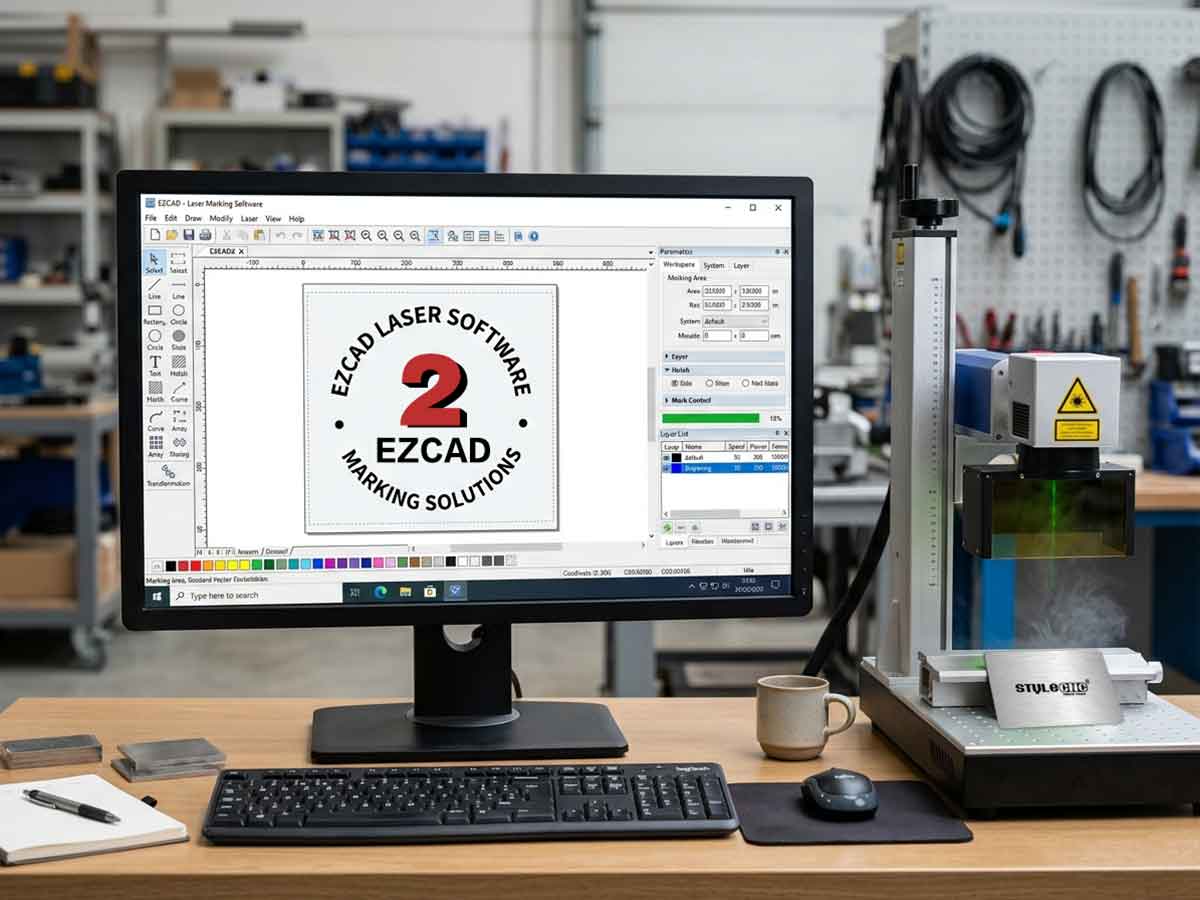
EZCAD is a laser marking software used for UV, CO2, or fiber laser marking systems, how to install and use EZCAD2 or EZCAD3 for your laser marking machine? Let us start learning the user manual for EZCAD software.

### Definition

#### What is EZCAD?

EZCAD is a smart software for [laser marking system](https://www.stylecnc.com/laser-marking-machine/ "laser marking system"), which is used on 32 bit or 64 bit operating system of Windows XP, Windows 7, Windows 8 and Windows 10\. EZCAD will drive the USB control board for laser marking machine to mark text, patterns, and photos on the surface of object.  

![EZCAD]()

### Features

1\. Users can design their graphics freely.

2\. Various types of fonts are supported. Such as TrueType, SHX, JSF (Single line font defined by EZCAD), DMF(Dot Matrix Font), One-Dimensional bar code, Two-Dimensional bar code, and so on).

3\. Flexible variable text: changes the text real time while in laser processing. Excel datasheet is supported.

4\. Can through the serial port direct read text data.

5\. Can through the network direct read text data.

6\. Strong node editing function make the curve modification more easier.

7\. The software can support 265 “pencils”, which used to draw graphic and can be set different processing parameters.

8\. Common types of images are supported. (bmp, jpg, gif, tga, png, tif, etc.)

9\. Common vector images are supported (ai, dxf, dst, plt, etc.).

10\. Image processing (Grayscale, White / Black Transformations).

11\. Powerful hatching functions, such as support round hatch.

12\. More convenient IO operations and more easier to harmonize the auxiliary equipments.

13\. Supports the dynamic focus (3 axis processing system).

14\. Supports directly the SPI G3 fiber laser and the newest IPG\_YLP and IPG\_YLPM fiber laser.

15\. An opening language supporting system makes it easy to run the software in various languages platform.

### Installation

#### How to intsall EZCAD software for your laser marking machine?

The EZCAD software can run on a laptop or PC with 900MHz CPU and 256MB RAM at least. In general, we recommend the fastest laptop or PC available. EZCAD was developed in Microsoft Windows XP and will run in Windows XP, Windows 7, Windows 8 and Windows10.

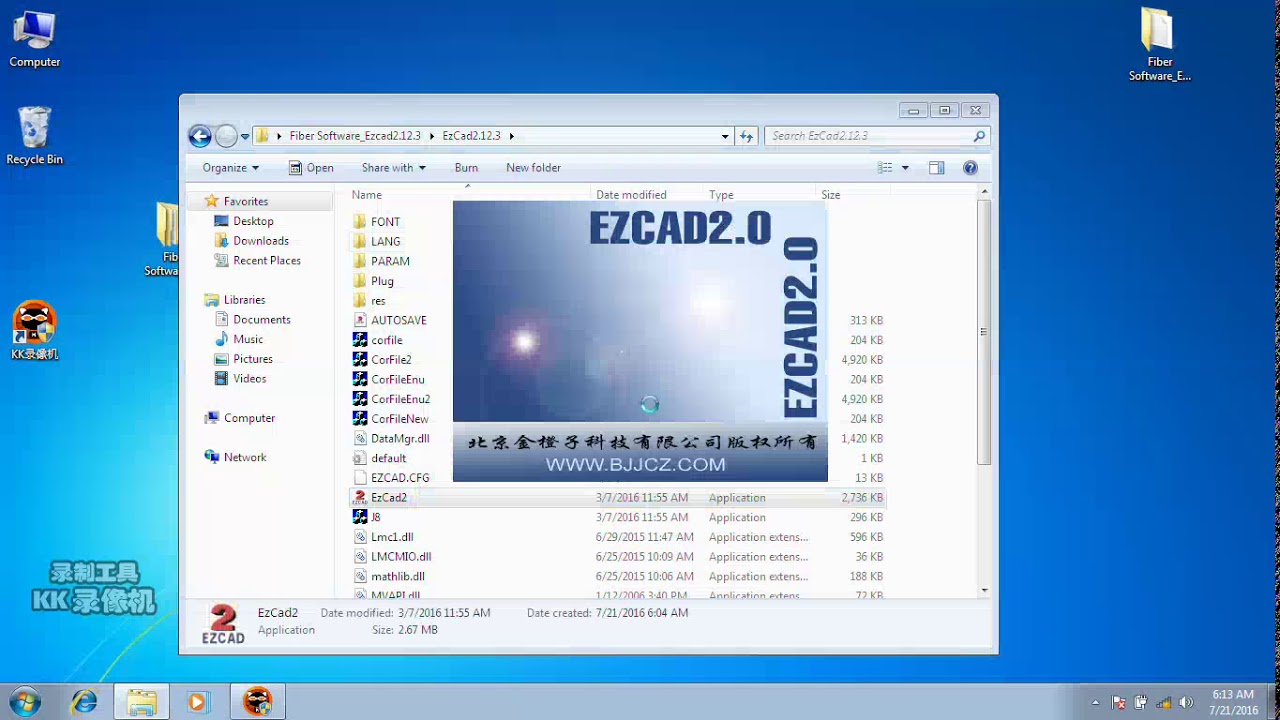
The installation of EZCAD is very easy. You just need to copy EZCAD folder that is in the Install CD to hard disk, and then double click the EZCAD.exe under the EZCAD's directory to run the software.  

EZCAD requires a software security device sometimes. This device plugs into the USB port on the computer. If there is no dongle or the dongle do not install correctly, a caution will appears and the software will work at demo state. In demo state, we can evaluate the software but we can't save files and can't control the laser marking machine.  

Step 1\. Copy the contents of the USB drive, EZCAD software folder to your computer. Note the additional files and folders within the EZCAD folder.

Step 2\. Make sure the USB cable is connected from the back of the laser control unit to your computer's "My Documents", and the laser power key is turned on.

Step 3\. With the mouse, left click on the windows start icon, and left click on devices and printers. You should see and unspecified device, USBLMCV2 with a yellow warning button.

Step 4\. Right click on USBLMCV2 and select properties. On the hardware tab, select laser mark control board, click properties, select the drivers tab. Click update driver and select manual search. Browse to My Documents > EZCAD > Drivers. Select either the 32 or 64 bit folder that fits your computer. Your system should respond that driver has been updated successfully.

Note: You can find out this information about your computer by going to Start > Control Panel > System.

Step 5\. Next, make a short cut to the EZCAD program as follows:

Open the EZCAD folder. In the EZCAD folder you should see a file EZCAD. Right click on the EZCAD application file and select copy. Right click on your desktop and select paste shortcut. You can then use the shortcut to open the software and get started laser making creative and profitable items.

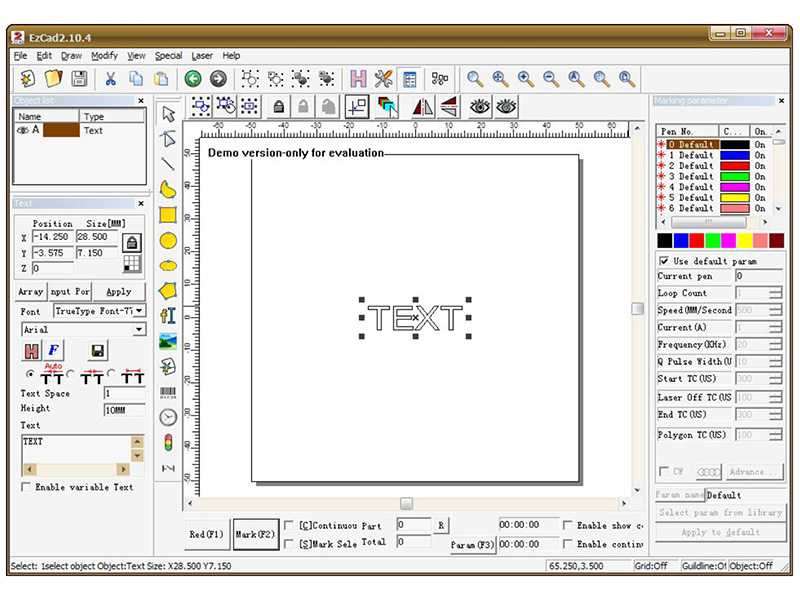
![EZCAD Interface]()

### User Manual (PDF)

This is an easy to follow beginner friendly user manual on how to use EZCAD software for laser marker step by step.

[EZCAD Software User Manual for Laser Marking Systems](https://www.stylecnc.com/uploads/file/200711/EZCAD-Software-for-Laser-Marking-Systems.pdf "EZCAD Software User Manual for Laser Marking Systems")

### Understanding EZCAD Parameters for Better Marking Results

EZCAD parameters control how your laser interacts with each material, and getting the right combination of speed, power, and frequency separates a clean, repeatable mark from a burnt one. Mastering three core settings plus a few material-specific tweaks unlocks consistent results across stainless steel, aluminum, plastics, and coated surfaces.

#### Core Parameters: Speed, Power, and Frequency

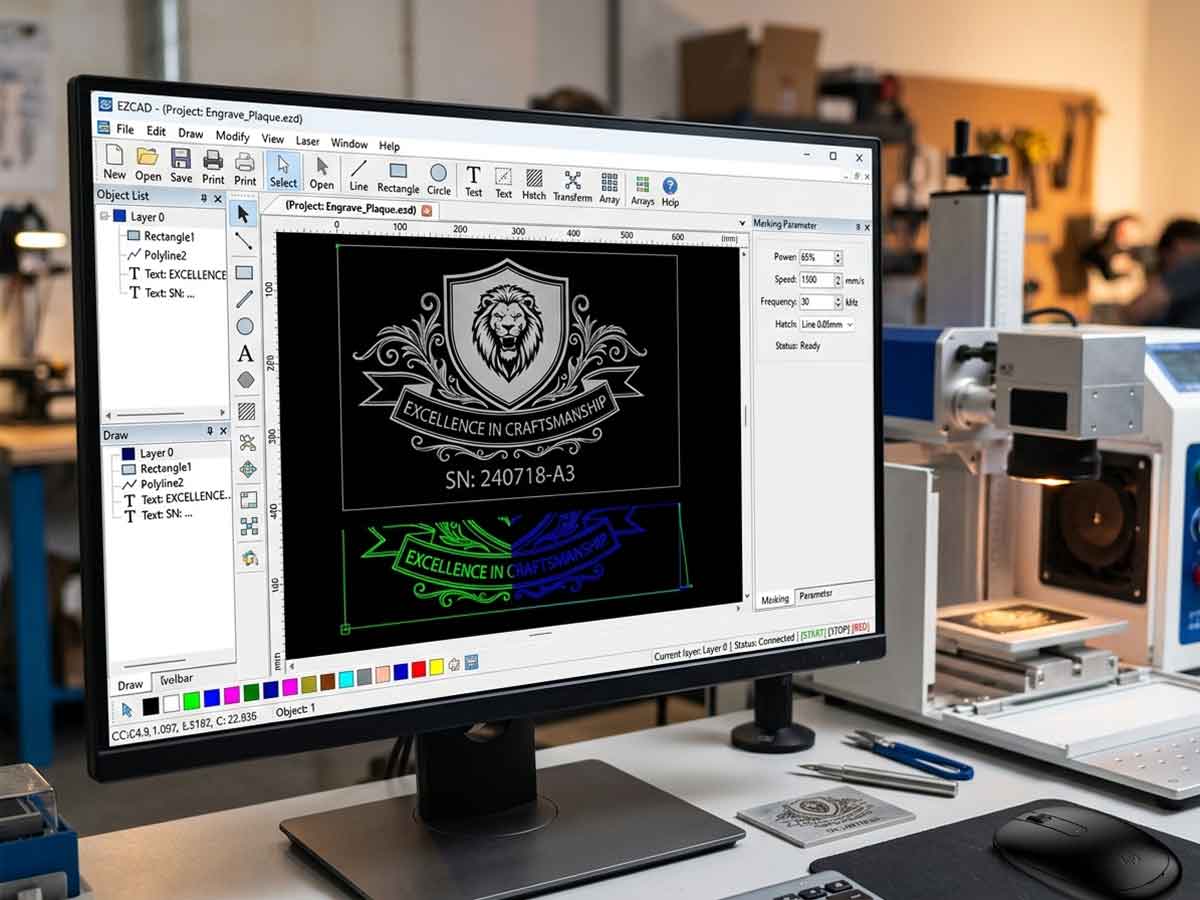
The Mark-Parameter panel in EZCAD controls nearly every visible outcome on your workpiece. Whether you run a [fiber laser marking machine](https://www.stylecnc.com/fiber-laser-marking-machine/ "fiber laser marking machine"), a [CO2 laser marker](https://www.stylecnc.com/co2-laser-marking-machine/ "CO2 laser marker"), or a [UV laser marking system](https://www.stylecnc.com/uv-laser-marking-machine/ "UV laser marking system"), these three values shape every result:

✓ Speed (mm/s): how fast the galvo head moves the beam. Higher speed gives lighter marks; lower speed deepens engraving.

✓ Power (%): the percentage of total laser output applied. Combined with frequency, it controls heat input and contrast.

✓ Frequency (kHz): the pulse rate. Low frequency delivers concentrated, deep pulses for metal engraving; high frequency produces smoother, lighter surface marks for plastics and anodized finishes.

Before adjusting, deselect Use default param on the right panel, then click Apply to default to lock changes between sessions. Run a small test grid on scrap material first — humidity and surface finish shift the optimal range.

#### Recommended Settings for Common Materials

Use the table below as a launch point for a 30W fiber source, then refine through testing. For full setup steps, see our [laser marking system setup guide](https://www.stylecnc.com/user-manual/Laser-marking-machine-system-setup.html "laser marking system setup guide").

| Material                | Speed     | Power | Frequency | Measurement            |
| ----------------------- | --------- | ----- | --------- | ---------------------- |
| Stainless steel (black) | 200 mm/s  | 70%   | 20 kHz    | Multi-pass for depth   |
| Anodized aluminum       | 1500 mm/s | 30%   | 60 kHz    | Light surface mark     |
| ABS plastic             | 1000 mm/s | 30%   | 25 kHz    | Single pass            |
| Brass                   | 400 mm/s  | 80%   | 30 kHz    | Slight defocus         |
| Coated metal            | 800 mm/s  | 50%   | 40 kHz    | Single pass works well |

For licensed and free alternatives, browse our roundup of the [best laser engraver software](https://www.stylecnc.com/cnc-software/laser-engraver-cutter-software.html "best laser engraver software").

![EZCAD]()

### Frequently Asked Questions

#### Is EZCAD compatible with Windows 11?

EZCAD2 runs on Windows XP through Windows 10\. EZCAD3 supports Windows 10 and 11 with 64-bit drivers, though you may need to disable driver signature enforcement on first install. Match the version to your laser control board.

#### What file formats does EZCAD accept?

EZCAD imports AI, DXF, PLT, DST, BMP, JPG, GIF, PNG, TIF, and TGA files. AI and DXF produce the cleanest vector results, while raster images should be at least 600 DPI for sharp engraving.

#### Why does my marking slow down unexpectedly?

Default parameters override custom values when Use default param stays checked. Uncheck the box on the right panel, reset Speed and Power manually, then click Apply to default to retain your settings between sessions.

#### Can I use EZCAD without the USB dongle?

No. Without the security dongle in a working USB port, EZCAD runs in demo mode files cannot be saved and the laser will not fire. Check Device Manager if it is not recognized.

#### Why are there white lines when marking black on stainless steel?

Change the hatch method, slightly defocus the beam, raise the frequency, and adjust line distance. Bias-focus marking with overlapping hatch lines eliminates the gaps and produces a uniform black finish.

#### How do I import an Excel datasheet for variable text?

Use the Text tool, enable Enable variable Text, select File, and link your CSV or Excel sheet. EZCAD cycles through entries automatically ideal for serial numbers and batch coding. See our [laser engraving software troubleshooting guide](https://www.stylecnc.com/faq/laser-engraving-software-problems.html "laser engraving software troubleshooting guide") for common pitfalls.

#### Should I update EZCAD regularly?

Yes. Updates patch driver conflicts and add support for newer laser sources. Pair them with the [daily maintenance routine](https://www.stylecnc.com/user-manual/Daily-maintenance-of-fiber-laser-marking-machine.html "daily maintenance routine") to keep performance consistent.

### Share This Article With Others

### Further Reading

#### Alphacam Router 2016 for CNC Router Machine

2016-06-01[Prev Post](https://www.stylecnc.com/cnc-software/Alphacam-Router-2016-for-CNC-router-machine.html "Alphacam Router 2016 for CNC Router Machine")

### How to Install & Setup Mach3 CNC Controller Software?

2021-03-01[Next Post](https://www.stylecnc.com/cnc-software/mach3-cnc-controller-software.html "How to Install & Setup Mach3 CNC Controller Software?")

### Related Software

[](https://www.stylecnc.com/user-manual/A-comparison-of-Laser-engraving-etching-marking-machine.html "A Comparison of Laser Engraver, Laser Etcher, Laser Marker")

2024-04-022 Min Read

#### [A Comparison of Laser Engraver, Laser Etcher, Laser Marker](https://www.stylecnc.com/user-manual/A-comparison-of-Laser-engraving-etching-marking-machine.html "A Comparison of Laser Engraver, Laser Etcher, Laser Marker")

Compare technical specifications, features, uses, pros and cons for laser engraver, laser marking machine, laser etching system and find the right one for you.

[](https://www.stylecnc.com/blog/cnc-engraving-machine-vs-laser-engraving-machine.html "CNC Engraving Machine vs Laser Engraving Machine")

2023-08-252 Min Read

#### [CNC Engraving Machine vs Laser Engraving Machine](https://www.stylecnc.com/blog/cnc-engraving-machine-vs-laser-engraving-machine.html "CNC Engraving Machine vs Laser Engraving Machine")

Laser engraver vs CNC router, what is the best for your engraving plans or projects? Review the guide to a comparison of CNC engraving machine and laser engraving machine.

[](https://www.stylecnc.com/blog/laser-engraver-ventilation-fume-extraction-guide.html "Do Laser Engravers Need Ventilation? Fume Extraction Guide")

2026-08-262 Min Read

#### [Do Laser Engravers Need Ventilation? Fume Extraction Guide](https://www.stylecnc.com/blog/laser-engraver-ventilation-fume-extraction-guide.html "Do Laser Engravers Need Ventilation? Fume Extraction Guide")

Yes. Every laser job releases fine particulate and gases, so ventilation is mandatory, not optional. Either duct the enclosure outdoors through a sealed run or recirculate through a filtered fume extractor with HEPA and activated carbon stages. Size the airflow from enclosure volume: roughly 150 CFM for desktops and 300 to 500 CFM for cabinet CO2 machines.

[](https://www.stylecnc.com/cnc-solutions/differences-between-fiber-laser-marker-and-uv-laser-marking-machine.html "Fiber Laser Marking System VS UV Laser Marking System")

2022-05-262 Min Read

#### [Fiber Laser Marking System VS UV Laser Marking System](https://www.stylecnc.com/cnc-solutions/differences-between-fiber-laser-marker-and-uv-laser-marking-machine.html "Fiber Laser Marking System VS UV Laser Marking System")

Fiber laser marking system adopts laser wavelength of 1064nm fiber laser, and UV laser marking system adopts laser wavelength of 355nm ultraviolet laser (pumped purple light laser). Different working principles make them with different applications.

[](https://www.stylecnc.com/blog/laser-engraver-costs-benefits-potential.html "Innovate Your Business with Laser Engravers - Costs and Benefits")

2025-07-302 Min Read

#### [Innovate Your Business with Laser Engravers - Costs and Benefits](https://www.stylecnc.com/blog/laser-engraver-costs-benefits-potential.html "Innovate Your Business with Laser Engravers - Costs and Benefits")

In this post, we'll break down the costs, benefits, potential of laser engravers, and how to use lasers to create personalized engravings for custom business.

[](https://www.stylecnc.com/blog/laser-marking-types.html "A Guide to Laser Marking Types")

2023-08-252 Min Read

#### [A Guide to Laser Marking Types](https://www.stylecnc.com/blog/laser-marking-types.html "A Guide to Laser Marking Types")

There are three common types of laser marking systems in the market for your business plans according to its working method, including mask mode marking system, array marking system, and scanning marking system.

### Post A Review

1 to 5-star rating5 stars4 stars3 stars2 stars1 star

#### Share Your Thoughts And Feelings With Others

Review Title

Your Name

Your Email

Your Review

Guest Post

Captcha

![Click To Change Captcha]()

Submit Your Review

### Popular Software

![15 Best Laser Engraver Cutter Software \(Paid/Free\) in 2026]()

#### [15 Best Laser Engraver Cutter Software (Paid/Free) in 2026](https://www.stylecnc.com/cnc-software/laser-engraver-cutter-software.html "15 Best Laser Engraver Cutter Software (Paid/Free) in 2026")

2026-06-08

![2026 Best CAD/CAM Software for CNC Machines \(Free & Paid\)]()

#### [2026 Best CAD/CAM Software for CNC Machines (Free & Paid)](https://www.stylecnc.com/cnc-software/cad-cam-software.html "2026 Best CAD/CAM Software for CNC Machines (Free & Paid)")

2026-06-08

![Weihong NcStudio CNC Controller V5.5.60 ENGLISH Setup]()

#### [Weihong NcStudio CNC Controller V5.5.60 ENGLISH Setup](https://www.stylecnc.com/cnc-software/Weihong-Ncstudio-CNC-Controller-V5-5-60-ENGLISH-Setup.html "Weihong NcStudio CNC Controller V5.5.60 ENGLISH Setup")

2026-06-08

![CNC Post Processor Files Free Download]()

#### [CNC Post Processor Files Free Download](https://www.stylecnc.com/blog/free-cnc-post-processor-files.html "CNC Post Processor Files Free Download")

2024-03-12

![How to Install & Use EZCAD for Laser Marking Machine?]()

#### [How to Install & Use EZCAD for Laser Marking Machine?](https://www.stylecnc.com/cnc-software/ezcad.html "How to Install & Use EZCAD for Laser Marking Machine?")

2026-06-08

![How to Install & Setup Mach3 CNC Controller Software?]()

#### [How to Install & Setup Mach3 CNC Controller Software?](https://www.stylecnc.com/cnc-software/mach3-cnc-controller-software.html "How to Install & Setup Mach3 CNC Controller Software?")

2026-06-08

### CNC Machine Catalog

* [CNC Routers](https://www.stylecnc.com/cnc-router/ "CNC Router")
* [CNC Plasma Cutters](https://www.stylecnc.com/plasma-cutter/ "CNC Plasma Cutter")
* [CNC Milling Machines](https://www.stylecnc.com/cnc-milling-machine/ "CNC Milling Machine")
* [CNC Machining Centers](https://www.stylecnc.com/cnc-working-center/ "CNC Machining Center")
* [Edge Banding Machines](https://www.stylecnc.com/edge-banding-machine/ "Edge Banding Machine")
* [CNC Bending Machines](https://www.stylecnc.com/cnc-bending-machine/ "CNC Bending Machine")
* [Laser Cutting Machines](https://www.stylecnc.com/products/laser-cutting-machine.html "Laser Cutting Machine")
* [Laser Marking Machines](https://www.stylecnc.com/laser-marking-machine/ "Laser Marking Machine")
* [Laser Welding Machines](https://www.stylecnc.com/laser-welding-machine/ "Laser Welding Machine")
* [Laser Cleaning Machines](https://www.stylecnc.com/laser-cleaning-machine/ "Laser Cleaning Machine")
* [Laser Engraving Machines](https://www.stylecnc.com/laser-engraving-machine/ "Laser Engraving Machine")
* [CNC Digital Knife Cutters](https://www.stylecnc.com/cnc-knife-cutting-machine/ "CNC Digital Knife Cutting Machine")
* [CNC Wood Lathe Machines](https://www.stylecnc.com/wood-lathe/ "CNC Wood Turning Lathe Machine")
* [CNC Parts, Tools, Accessories](https://www.stylecnc.com/spare-parts/ "CNC Spare Parts, Tools, Accessories")

### Get Easy Solution

Your MachineYour MachineCNC MillCNC LatheCNC RouterLaser CutterLaser WelderLaser CleanerLaser EngraverEdge BanderPanel BenderDigital CutterPlasma CutterWaterjet CutterCNC Machining CenterMultiple ToolsNot Listed Above

Your MaterialYour MaterialMetalWoodFoamGlassPaperStoneFabricPlasticAcrylicCrystalRubberLeatherCompositesMultiple Materials

Your BudgetYour BudgetNo BudgetUnder $3,000$3,000 - $6,000$6,000 - $8,000$8,000 - $10,000$10,000 - $12,000$12,000 - $15,000$15,000 - $20,000$20,000 - $30,000$30,000 - $50,000$50,000 - $80,000$80,000 - $100,000Over $100,000

Your Email

Your Requirements

Submission Successful, Redirecting In 5 Seconds...

### STYLECNC